Indian Investments
How to read your mutual fund CAS statement in India
What every section of a mutual fund CAS means: folios, transactions, NAV, gain summary, and how to use the statement for complete portfolio tracking.
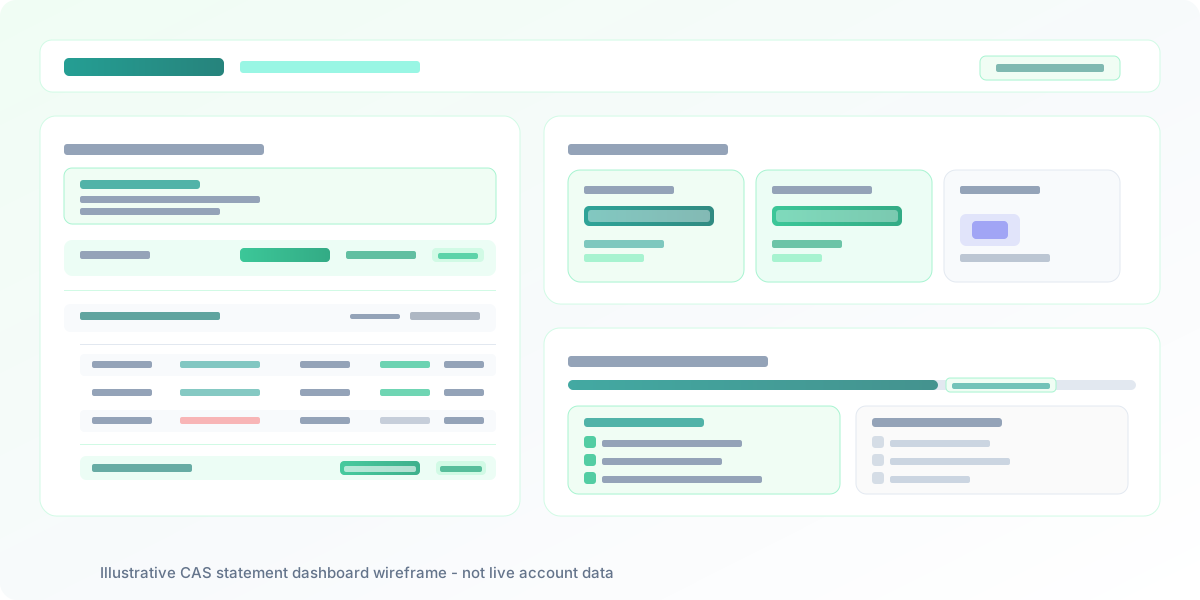
When you invest in mutual funds in India, two registrars—CAMS and KFintech—maintain the transaction records for most fund houses between them. They periodically issue a Consolidated Account Statement (CAS) that pulls every mutual fund folio under your PAN into one document. Most investors glance at the final value and archive the PDF. But reading a mutual fund CAS carefully tells you far more: which folios are active, whether every SIP posted correctly, how NAV has moved, and what the gain looks like in each scheme. This guide walks through a CAS in India section by section so you can use it as a real tracking tool rather than a filing obligation.
What the CAS consolidates and who issues it
A CAS is not a product offered by any fund house. It is generated by the registrars and transfer agents (RTAs) who maintain the official transaction ledger for mutual funds in India. CAMS manages records for a large group of AMFs; KFintech manages another. Together they cover the bulk of the Indian mutual fund industry.
When you request a CAS, you can get a document that includes folios from both RTAs in one statement. The document is tied to your PAN—not your phone number or broker app—so it captures investments made across different platforms, different distributors, and different time periods, all in one place.
A CAS arrives by email for accounts that had activity in a given month. You can also request one at any time from the CAMS and KFintech portals using your PAN and the email or mobile number registered with your folios. For tracking purposes, the most useful version is a full-year CAS covering the financial year from April to March.
The structure of a CAS: what to expect
A typical CAS has three broad layers.
The header and summary section appears at the top. It states the period covered, the PAN it belongs to, and the registered name and address. Some CAS versions include a brief portfolio summary—total current value across all folios, total invested amount, and overall gain—as an opening table before the folio details.
The folio-level section forms the main body. Each folio is listed separately. A folio is a holding record: one investor, one fund house, one plan type (regular or direct), one option (growth or income distribution/reinvestment). If you hold three schemes from the same AMF under the same PAN, each might be in a separate folio unless you consolidated them at the time of purchase.
Within each folio block, the CAS shows:
- Fund name, ISIN, folio number, plan type, and option
- Opening unit balance and the NAV at the start of the period
- Each transaction row with date, type, amount, units, and closing unit balance
- Closing unit balance, closing NAV, and the current value of that folio
The gain summary (where present) shows the unrealised gain per folio and a total across all folios. This figure is the difference between current value and invested cost—not an XIRR, not a time-weighted return, just the rupee difference and a simple percentage.
Reading the transaction rows
Each transaction row in the CAS corresponds to a single event in the folio. Understanding what each row type means is where much of the practical value of reading a CAS lies.
Purchase (including SIP instalments): A purchase row shows the date, the amount invested in rupees, the NAV at which units were allotted, the number of units added, and the cumulative unit balance after that transaction. A SIP is a series of purchase rows, one per instalment date. If an instalment did not post—because the bank debit failed—no row will appear for that date. Checking SIP rows against your bank debit history is the simplest way to confirm that every instalment was received.
Redemption: A redemption row reduces the unit balance. It shows the date, the amount received (net), the NAV, and the units redeemed. If you redeemed only part of a folio, the remaining unit balance will be visible.
Switches and Systematic Transfer Plans (STPs): A switch appears as two entries: a redemption from the source scheme and a purchase in the target scheme. For an STP, you will see periodic redemptions from one folio and matching purchases in another. Verifying that both sides of a switch match is a useful cross-check.
Dividend or IDCW transactions: For growth-option folios, no dividend rows appear—there are no payouts. For Income Distribution cum Capital Withdrawal (IDCW) options, a payout row records the amount distributed per unit, the total payout, and the ex-dividend NAV. For reinvestment options, the dividend row adds units instead of distributing cash, and the unit balance goes up.
Systematic Withdrawal Plans (SWPs): An SWP appears as a series of redemption rows at regular intervals, typically each month.
The closing balance: what it tells you and what it does not
The closing balance for each folio is simply the unit count at the end of the period multiplied by the closing NAV. It is the market value of that folio on the statement date—useful, accurate, and important to track over time.
The gain section that often follows is worth interpreting carefully. A CAS typically shows the invested amount as the sum of all purchase amounts minus the sum of all redemption amounts. The unrealised gain is the current value minus this invested amount. That gives you a rupee figure and a simple percentage.
For a one-time lumpsum investment, that percentage and a CAGR are closely related. But for a portfolio built over years of SIPs—where early instalments have been invested for longer and recent ones for a shorter time—absolute gain percentage can be misleading. An investor with a long SIP history might show a lower absolute gain percentage than a recent lumpsum investor in the same fund, even if the SIP investor has done well measured correctly. The correct measure for a SIP-driven portfolio is XIRR, the internal rate of return that accounts for the amount and timing of each cash flow.
A standard CAS does not compute XIRR. For XIRR, you need a tracker that can take all the transaction rows, apply a time-based return calculation, and give you a single figure that actually reflects how your money has grown. You can use Invesh.io to track your mutual fund folios and compute XIRR across the full investment history.
What the CAS does not cover
The CAS is a mutual fund ledger. It does not include:
- EPF: Your Employees' Provident Fund balance lives in the EPFO UAN system. You need the UAN passbook or EPFO portal to check your EPF. Invesh.io has a dedicated EPF tracker for this.
- NPS: NPS account details come from your CRA (Central Recordkeeping Agency). Your Tier I and Tier II balances are available through the NPS portal or CRA apps.
- PPF: PPF is managed by your bank or post office. The balance comes from your passbook or bank net banking.
- Direct equity: Stocks in your demat account are maintained by CDSL or NSDL, accessible through your broker app or CDSL/NSDL portals. They do not appear in a mutual fund CAS.
- US stocks or other foreign holdings: Anything held in a foreign brokerage is outside the CAS entirely.
- Fixed deposits and bonds: These are recorded by your bank or issuing entity, not by mutual fund registrars.
A CAS gives you a complete mutual fund picture, but for most Indian investors, mutual funds are one part of a larger household portfolio that includes retirement wrappers, direct equity, and possibly international assets. A CAS alone leaves those out.
This is the gap that a portfolio tracker is designed to fill. Rather than checking six portals and adding numbers manually, you can log all account types in one place and get a unified picture—total invested, total current value, and an XIRR that covers the full book.
Using your CAS as part of an annual review
The most productive way to use a CAS is as an annual check-in document. Requesting a full financial year CAS—covering April to March—gives you a complete transaction log for all mutual fund activity in that period.
What to check in an annual CAS review:
- All expected SIP instalments appear with no missing rows
- Any unknown redemption or switch that you did not initiate
- Folios you may have forgotten about (small old investments, dividend reinvestment accounts)
- The closing unit balances match what your fund house portals show
- No new folio was opened by a distributor without your knowledge
Once you have verified the mutual fund picture, take the closing values from the CAS and pair them with your EPF balance from the UAN portal, your NPS balance from the CRA, your PPF balance from your bank, and your demat holdings from your broker. That combination gives you the full picture: total invested across every instrument, total current value, and an XIRR that covers everything.
Doing this manually with five open tabs and a spreadsheet takes a few hours each year. Invesh.io is built to make this a short, focused exercise—log each account type once, keep the values updated, and the consolidated view is always available without re-doing the arithmetic.
A CAS is the most complete document an Indian mutual fund investor has access to, but its value depends on knowing how to read it. Once you can identify what each folio block, transaction row, and gain figure actually means, it stops being a filing chore and starts being a genuine tracking tool. Pair it with the XIRR that a tracker like Invesh.io can compute, add your EPF, NPS, PPF, and equity accounts, and you have an annual review process that takes a clear-eyed look at your full financial picture—not just the mutual fund slice.
Frequently asked questions
What is a Consolidated Account Statement and who issues it?
A Consolidated Account Statement (CAS) is a document that lists all your mutual fund folios under one PAN, across all fund houses. It is issued by the two registrars and transfer agents (RTAs) in India—CAMS and KFintech—who maintain the transaction records for most AMFs. You can request a full combined CAS from their respective portals, which pulls folios registered with both RTAs into a single document.
Why does my CAS show two different registrar sections?
Different fund houses use different RTAs. CAMS handles the back-office recordkeeping for a large set of AMFs, and KFintech handles another set. If you hold funds from both groups, a basic CAS from one portal shows only that RTA's schemes. A combined or consolidated view—available on request from each portal—includes both, so you see all your mutual fund folios together under one PAN.
What is the difference between the opening balance and closing balance in a CAS?
The opening balance shows the number of units and the NAV at the start of the statement period. The closing balance shows units and NAV at the end of the period. The closing value—units multiplied by the closing NAV—is the current worth of that folio as of the statement date. Any transactions (purchases, redemptions, SIPs, switches) that happened in between are listed row by row and change the running unit balance.
Why is the gain figure in my CAS different from what my broker app shows?
CAS gain figures are usually computed as the difference between the current value and the invested amount (cost of purchase). This is an absolute gain in rupees and a simple percentage. It is not XIRR. For SIP-driven portfolios, absolute gain can look misleadingly low or high depending on when you started. A dedicated tracker computes XIRR—the money-weighted return—which accounts for the timing and size of each investment and is a more meaningful measure of how your portfolio has performed.
Does a CAS include EPF, NPS, PPF, and direct equity?
No. A mutual fund CAS covers only mutual fund folios registered under your PAN with CAMS and KFintech. It does not include EPF, NPS, PPF, direct equity in your demat, fixed deposits, bonds, or any other investment type. To see those alongside your mutual funds in one view, you need a portfolio tracker such as Invesh.io that is designed to hold multiple instrument types together.
How often should I request a CAS?
A CAS is automatically sent to registered email addresses for accounts with activity in a given month. For a full picture, most investors request an annual CAS covering the full financial year (April to March) and use it as part of their year-end portfolio review. You can also request a CAS at any point from the CAMS or KFintech portals using your PAN and registered email or mobile number.
See everything in one place
Invesh brings stocks, mutual funds, PPF, NPS, EPF, and US stocks into a single dashboard with P&L and Artha for document import.